


How to Install Diwa Fun App – APK Setup, Updates and Troubleshooting
At Diwa Fun, we know that installing an Android app is usually simple until one part of the process does not behave as expected. Learning how to install Diwa Fun App therefore means more than downloading an APK and tapping Install. A user may already have an older package, several duplicate downloads, a package conflict, limited storage or an existing account that needs to remain accessible after the update. This guide is organised around those real situations so you can identify the stage of the problem first, then continue with the correct action instead of repeatedly reinstalling the app.
Start by Identifying Your Current Installation State
The best way to understand how to install Diwa Fun App is to begin with the state of your device.
Not every user starts from the same point.
You may be:
- installing the app for the first time;
- updating an existing installation;
- reinstalling after removing an older package;
- moving to a new Android phone;
- opening an APK that does not install;
- seeing a package conflict;
- trying to sign in after installation.
Each state needs a slightly different next step.
| Current State | Best First Action |
|---|---|
| First installation | Check storage, network and source |
| Existing app | Verify update package before replacing |
| Duplicate APK files | Identify the latest intended download |
| Package conflict | Compare the new package with the installed app |
| New device | Install first, then return to the existing account |
| App opens but login fails | Troubleshoot the account, not installation |
This is the main logic we use throughout the guide.
A device problem, package problem and account problem can look similar to the user, but they should not be solved in the same way.

Check the Source, Storage and Download Before Installation
Many installation problems begin before Android opens the installer.
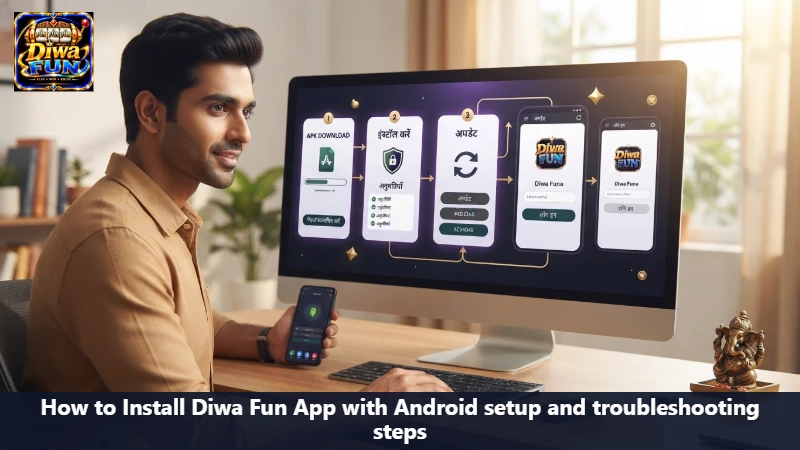
For users following how to install Diwa Fun App on Android, we recommend checking three things first: the package source, the device state and the completed download.
Confirm the Current Package Source
Use the current Diwa Fun app source and review the information available there. If the page shows version, package size or compatibility information, use those live details instead of an older screenshot or saved APK.
This matters especially when your Downloads folder already contains previous versions.
Check Available Storage
Android needs enough room for both the downloaded APK and the installed application data. If storage is close to full, you may see situations where:
- the download completes but installation fails;
- the installer stops unexpectedly;
- the app installs but closes on first launch;
- an update cannot replace the current version.
Removing unused files before starting can make the process smoother.
Verify the Download Is Complete
Chrome and other browsers show download progress separately from the file manager. A file may already appear in Downloads even while the transfer is unfinished.
Before opening the package:
- Check the browser download status.
- Confirm the file finished.
- Compare the source.
- Open only the package you intended to download.
For how to install Diwa Fun App correctly, this small check prevents many avoidable problems.
Manage Duplicate APK Files Before They Become Confusing
Repeated downloads are common on Android.
Chrome may automatically rename the same filename:
diwa-fun.apk diwa-fun (1).apk diwa-fun (2).apk
The newest-looking name is not automatically the correct package.
Instead, compare:
- download source;
- timestamp;
- package details;
- whether the file completed successfully.
Keep one verified installer and remove older duplicates after you confirm which file you need.
This is especially useful when you later update Diwa Fun because the Downloads folder stays easier to understand.
Install the APK in the Correct Sequence
Once the source and file are clear, the installation process is straightforward.
A practical how to install Diwa Fun App sequence is:
- Open the current package.
- Review the Android installation prompt.
- Follow the permission or source instruction shown by the device.
- Allow installation to finish.
- Open the app.
- Let the first screen load fully.
- Review the lobby or account area.
- Sign in or register.
Different Android brands may use slightly different wording, but the underlying flow remains similar.
If Android requests approval to install from the browser or file manager, review the prompt carefully and continue only with the source you intentionally used.
Handle Package Conflicts Before Uninstalling the Working App
Package conflict is one of the situations where users often make a larger change too quickly.
If Android refuses to install the new APK because it conflicts with the existing application, do not immediately remove the working app.
First compare the two packages.
A conflict can happen when:
- the new package uses a different identity;
- the signing source is different;
- the downloaded file belongs to another release line;
- the package is incompatible;
- the download is incomplete or damaged.
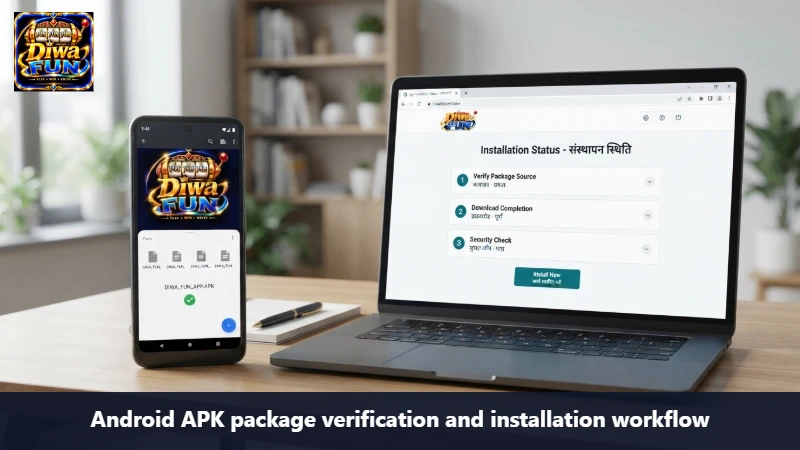
For users learning how to install Diwa Fun App updates, the safest workflow is to verify the new package while keeping the working installation in place.
This gives you a fallback while you identify the issue.
When an Update Installs Normally
If Android recognises the new package as an update, follow the on-screen process and allow the installation to finish. After the update:
- open the app;
- check whether the session remains active;
- review the game lobby;
- confirm that the account area loads;
- keep your credentials available in case another login is required.
An update can change the interface without changing the account itself.
Keep the Existing Account Separate From the App Installation
Installing the app and creating an account are two different actions.
If you already have a Diwa Fun profile, a new installation or update does not automatically mean you need another registration.
After installation, return to the existing account using the credentials connected to that profile.
For how to install Diwa Fun App on a new phone, this is especially important.
A simple device-change flow is:
Install app → Open login → Use existing account → Complete verification if requested → Resume account access
Do not create a second profile only because the phone is new.
Saved Password and Autofill Problems
Chrome, Google Password Manager or another password manager may restore older credentials. If the app opens but login fails:
- check the account identifier;
- review the password being autofilled;
- enter the current password manually;
- use recovery if needed.
At that point, installation is already complete. The issue belongs to account access.
This distinction prevents repeated reinstallations that do not solve the real problem.
Understand What Happens When the App Reloads
Android manages memory and battery in the background.
If you leave Diwa Fun to open another app and then return later, Android may reload the session.
A similar reload can happen when the connection changes from Wi-Fi to 4G/5G.
This behaviour does not automatically mean the application was installed incorrectly.
Before changing anything, check:
- whether the app opens normally;
- whether you remain signed in;
- whether the current game or lobby reloads;
- whether the network recently changed.
If the app itself works, continue from the current session rather than reinstalling.
Troubleshoot by Stage Instead of Trying Everything at Once
A clear troubleshooting system makes how to install Diwa Fun App easier to manage.
Download Is Not Finishing
Focus on:
- network connection;
- browser download status;
- available storage;
- source availability.
Do not move to installation troubleshooting until the package is complete.
APK Will Not Open
Check:
- whether the file finished downloading;
- package format;
- source;
- Android compatibility.
If Android never reaches the installer screen, the problem is still at the file or package stage.
Package Conflict Appears
Compare the new APK with the installed version before removing anything. Look at the current source and package information.
Installation Finishes but the App Closes
Restart the device and open Diwa Fun again. Then review:
- available memory;
- Android compatibility;
- whether the problem started after an update;
- background app load.
App Opens but Login Fails
Move away from installation troubleshooting. Check:
- credentials;
- autofill;
- session status;
- network;
- account recovery.
Game Lobby Loads Slowly
The app is already installed. Review:
- current connection;
- available memory;
- other background apps;
- whether the issue affects one title or the full lobby.
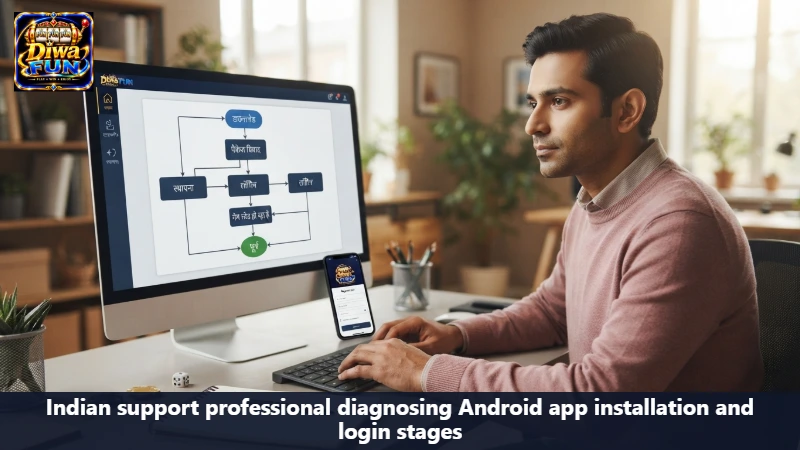
This stage-based approach is central to how to install Diwa Fun App without creating more problems while troubleshooting.
Use a Simple Check Before Every Update
Once the app is working, future updates become easier if you follow the same routine every time.
Before installing a new package:
- verify the source;
- review the current package information;
- keep your account credentials accessible;
- check free storage;
- confirm the download completed;
- keep the existing working app until the update is verified.
This routine reduces confusion between old and new APK files and makes it easier to identify where an issue begins.
For users who regularly check how to install Diwa Fun App updates, consistency matters more than rushing through the installer.
Real Installation Situations We Often Need to Explain
- “Android says the app cannot be installed over the existing version.” — Treat this as a package comparison problem first. Verify the current source and check whether the new APK matches the installed application before removing the working version.
- “I have three Diwa Fun APK files in Downloads.” — Compare their source and timestamps. Keep the verified current package and remove outdated duplicates once you are sure which file is correct.
- “The update finished, but the app asked me to log in again.” — An update can end an active session. Use your existing account credentials rather than creating another profile.
- “The app works until I switch from Wi-Fi to mobile data.” — A network change can refresh the session. Check whether the app reconnects and whether you remain logged in before taking another action.
- “Installation is complete, but one game will not load.” — Since the app itself opens, troubleshoot the game or network stage rather than reinstalling the full application.
Conclusion
At Diwa Fun, we approach Android setup as a sequence of states rather than one installation button. Learning how to install Diwa Fun App means checking the source, confirming a complete download, identifying the correct APK, handling package conflicts carefully and keeping account access separate from the installation itself. If something goes wrong, focus on the stage where the process stopped—download, package, installation, login or game loading. This structured approach gives you a clearer path from APK download to a working Diwa Fun session without unnecessary reinstallations or duplicate accounts.
18+ Safety Notice
Adults 18+ only. Use Diwa Fun only where that lobby is lawful.